


ArriveCAN
4.91.38K Reviews
App Specs
- Version
- 3.6.13
- Updated On
- License
- Free
- Downloads
- 5,000,000+
- Developer
- CBSA-ASFC
- Categories
- Travel & Local
- Platform
- Android
Screenshots
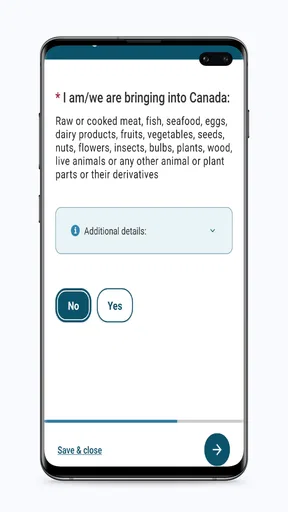
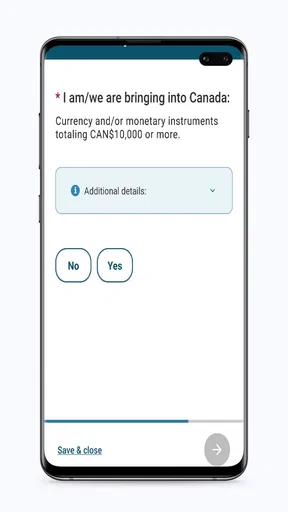
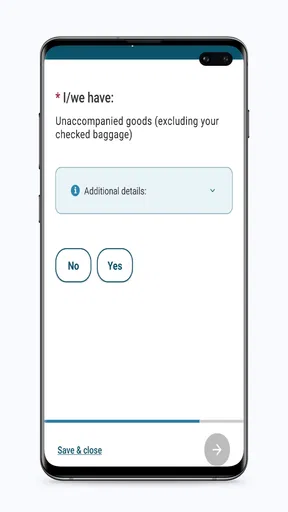
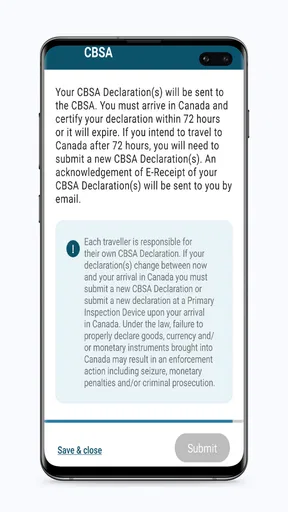
 Analysis by AppCompare
When I’m getting ready for a trip to Canada, I want the entry process to be clear before I reach the border, not something I’m trying to untangle while tired and juggling bags. ArriveCAN is a free travel app from CBSA-ASFC that gives incoming travellers a place to submit required information. Its role is narrower than a general trip planner, and that focus is useful: it is meant to help with the Canada-arrival process, not to organize flights, hotels, or sightseeing.
What the app is for now
I’d treat it as a practical preparation tool rather than a guarantee that every travel question is settled. Entry requirements can depend on a traveller’s circumstances and may change, so the sensible approach is to use the app for the submission it supports and check current official guidance for anything that affects your particular journey. The app can make a required step easier to manage; it cannot replace the traveller’s responsibility to understand what applies.
That distinction matters if you are used to travel apps that bundle itineraries, boarding passes, maps, and booking details. Those tools help you manage the trip as a whole. This one is specifically about information for people coming into Canada, so I would not expect it to serve as a document wallet or a complete border-advice service. Keeping those jobs separate makes it easier to know what to prepare and where to look when a question falls outside the app’s purpose.
Who will get the most from it
The clearest fit is someone who is travelling to Canada and has been told to submit information through this service. It can also help people who prefer to handle administrative steps on a phone instead of searching through paper forms at the last minute. If you are coordinating travel with family, it is worth checking each person’s requirements individually rather than assuming one traveller’s answers automatically cover everyone.
It is less useful for someone who is not entering Canada, or for a visitor who only wants an itinerary planner, local recommendations, or a place to store tickets. In those situations, a general travel app or the airline’s own tools are a better match. I would also avoid relying on any single app as the sole source of time-sensitive border guidance: use it for the task it is built around, then verify the wider travel details through appropriate official channels.
A calmer way to prepare for arrival
Picture a traveller travelling with a connection and a long airport day ahead. Rather than waiting until the terminal to work out whether an arrival submission is needed, they can review the process in advance, gather the details they will need, and complete the relevant steps when they have a moment to focus. That does not remove every uncertainty, but it can prevent avoidable scrambling when the journey is already underway.
My practical tip is to prepare the information before opening the form, especially if you are switching between travel documents, email, and the app on one device. Check names and document details carefully before submitting; small typing errors are easier to catch at home than in a queue. After submitting, keep any confirmation or reference information the app provides accessible, rather than assuming you will remember where it appeared when you need it later.
Worth Reading Before You Choose

EA SPORTS FC Mobile 26 Is a Bigger Football Game, but It Takes Time

Flipboard Shows What News Apps Must Do Beyond the Feed

Switching to Android Auto Means Rethinking Your Driving Routine

Google Calendar Makes a Crowded Week Easier to Manage

Ludo King Makes the Most of the Minutes Between Plans

Baby Panda World Brings Quick Play to Modern Phones, but Its Game Library Feels Busy
How it fits beside other travel tools
Compared with the usual alternatives in travel apps, this is a specialist rather than an all-in-one option. An airline app is the natural place for flight updates and check-in tasks, while maps are better for getting around after landing. Official travel information is the better source for broad rules and exceptions. The strength of this app is its focused submission workflow; its limitation is that it does not replace those other tools.
I find that division helpful as long as expectations are realistic. Use a general itinerary app to keep the trip organized, the carrier’s app for flight-specific tasks, and this one when you need to complete the Canada-arrival process it supports. Trying to make one app answer every travel question is where confusion starts, particularly when a rule depends on personal circumstances.
Getting Started with ArriveCAN
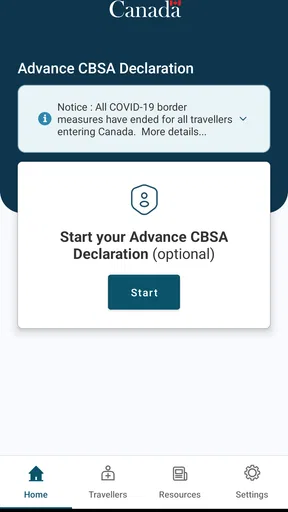
First things first, downloading ArriveCAN is a breeze. It's available on both Android and iOS, so you can grab it from the Google Play Store or the App Store, depending on your device. Once installed, the app greets you with a simple, user-friendly interface. No clutter, no unnecessary frills—just a straightforward design that gets the job done.
Setting Up Your Profile
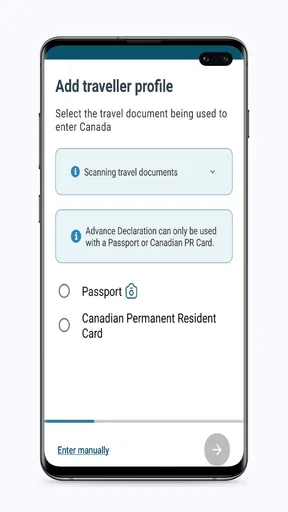
After launching the app, you'll need to set up an account. It's a quick process where you provide some basic information like your name, contact details, and travel document numbers. The app ensures your data is secure, which is a relief because, let's be honest, nobody wants their personal info floating around in cyberspace.
One thing I appreciated was the app's emphasis on security. It uses encryption to protect your data, which makes me feel a lot more comfortable about sharing my information.
Navigating the Features
Once your profile is set up, the app guides you through the entry requirements process. Whether you're a Canadian citizen, permanent resident, or a foreign national, it tailors the information to fit your needs. It even sends reminders for any documents you might have missed.
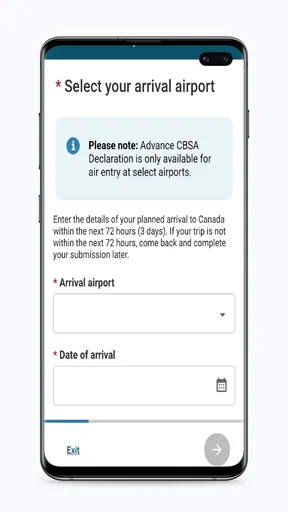
Now, here's the cool part: you can submit your travel and quarantine plans directly through the app. No need to fumble through papers or worry about last-minute surprises at the border. Just input your details, and the app takes care of the rest.
Real-Time Updates and Notifications
In today’s world, things can change at the drop of a hat, especially with health regulations. The app keeps you in the loop with real-time updates and notifications. Whether it's a change in quarantine rules or new health advisories, you're always informed. This feature is a lifesaver for anyone who's ever felt the stress of keeping up with travel regulations.
User Experience and Interface
Let's talk about the app's user experience. It's smooth sailing all the way. Icons are intuitive, buttons are responsive, and the overall navigation feels natural. You won't find yourself tapping around aimlessly trying to figure out what to do next. Plus, the app supports multiple languages, which is fantastic for international travelers.
There were a few times when I wished the app ran a tad faster, especially when loading some of the more detailed pages. But honestly, it wasn't a deal-breaker for me.
Customer Support and Help
If you ever hit a snag or have questions, the app offers a comprehensive help section. There's also customer support available, which is reassuring if you're navigating new travel rules. The support team is responsive and keen to help, which adds a nice touch of human interaction to the digital experience.
There's a handy FAQ section within the app that tackles common queries, saving you the hassle of reaching out unless absolutely necessary.
Changes, compatibility, and day-to-day fit
The app was released in April 2020, and its current version is 3.6.11. That version number shows that the software has had ongoing revisions, but I would not read a specific feature history into the number alone. For someone already using it, the practical question is whether the current app on their phone supports the submission they need today. I’d keep it updated and review the on-screen instructions before each trip rather than relying on memories of an earlier journey.
It is free, has an Everyone content rating, and requires Android 7.0 or later on Android devices. Those details make it accessible to many travellers, though a person using an older phone should check compatibility before departure, not while standing at the airport. If a device is shared, I would also take care to sign out or otherwise protect access to personal travel information after completing the task.
Its audience is substantial: it has more than five million installs, an average rating of 4.8 from around 164,000 ratings, and roughly 1,200 written reviews. Those figures suggest many people have found it useful, but they do not guarantee that every traveller’s situation will be straightforward. I’d weigh the app’s focused purpose and current instructions more heavily than popularity when deciding how to prepare.
Where a little friction remains
A phone-based form is convenient, but it still asks the traveller to enter personal and travel details accurately. If you are tired, rushing, or dealing with a weak connection, it is easy to make a mistake or lose patience with a slow-loading page. I would complete the process somewhere calm, leave enough time to correct an answer, and avoid waiting until the final moments before departure.
Another trade-off is that a guided process can feel reassuring without answering every edge case. If your circumstances do not fit the choices shown, do not guess just to move forward. Pause and consult current official guidance or support. That is a better use of time than submitting information you are unsure about and hoping the border process will resolve it for you.
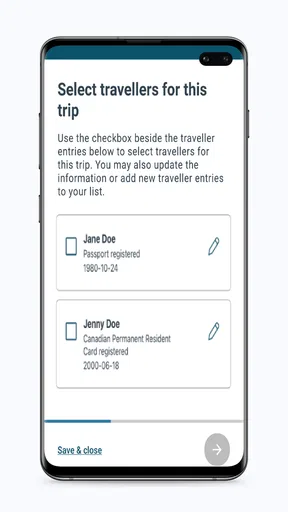
For families or groups, a useful habit is to keep each traveller’s details organized separately before beginning. A parent completing forms for others can otherwise mix up document numbers or contact details, especially when several people are travelling together. Reviewing each submission against the corresponding travel document is a small step that can save a stressful correction later.
What I would watch before travelling
I would pay attention to the wording of the steps shown in the app and to any current government guidance that applies to my route and circumstances. The app’s version may evolve, but a newer version alone does not tell me whether a rule has changed or whether a particular traveller needs to do something different. For that, the actual current instructions matter more than assumptions based on a previous trip.
If you are planning well ahead, revisit the process closer to departure instead of treating an old submission or saved information as automatically valid for a later journey. Travel plans can change, and details that were correct for one arrival may not fit another. This is especially important when the traveller, route, or timing differs from the last time you used the app.
Final Thoughts
So, is the app worth downloading? Absolutely. It's a well-designed app that simplifies the often-complicated process of traveling to Canada. It keeps you organized, informed, and ready for whatever your travels may throw at you. While it's not without minor flaws, the benefits far outweigh any downsides.
Whether you're a seasoned traveler or a first-time visitor, having it at your fingertips makes navigating entry requirements a walk in the park. So, go ahead and give it a try on your next trip to Canada. Safe travels!
Pros
- User-friendly interface for easy navigation.
- Quickly updates travel info in real-time.
- Secure data handling ensures privacy.
- Supports multiple languages for accessibility.
- Streamlines entry process at Canadian borders.
Cons
- Requires internet connection to function.
- Limited offline capabilities for remote areas.
- May experience occasional app crashes.
- Needs regular updates for new regulations.
- Not compatible with older smartphone models.
FAQs for ArriveCAN
What is ArriveCAN and what is its primary purpose?
ArriveCAN is a digital platform designed to simplify the process of entering Canada. Its primary purpose is to collect mandatory travel and health information from travelers before they reach the country. This includes contact details, quarantine plans, and COVID-19 vaccination status, ensuring compliance with Canadian public health regulations.
Is using ArriveCAN mandatory for all travelers entering Canada?
Yes, using ArriveCAN is mandatory for all travelers entering Canada, regardless of their citizenship status. Travelers must submit their information electronically within 72 hours before arriving in Canada. Failure to comply can result in penalties, including fines or being denied entry into the country.
What information do I need to provide on ArriveCAN?
Travelers need to provide detailed information on ArriveCAN, including personal contact details, travel itinerary, and a quarantine plan if applicable. Additionally, proof of COVID-19 vaccination and any required negative test results must be uploaded to ensure compliance with Canadian entry requirements.
Can I use ArriveCAN without an internet connection during travel?
ArriveCAN requires an internet connection to submit your information, but once submitted, you can access your receipt offline. It is recommended to submit all required details before starting your journey and to take a screenshot of your receipt in case of connectivity issues.
Is ArriveCAN available in multiple languages and on different platforms?
Yes, ArriveCAN is available in multiple languages, including English and French, to accommodate diverse users. The app can be downloaded on both Android and iOS devices, and there is also a web version for those who prefer using a computer. This ensures accessibility for all travelers.


